
This document guides users through the interpretation of Fleet Commander Insights data to understand normal unit operating patterns and signs of potential issues. This guide is not meant to replace thorough troubleshooting and diagnosis, but to provide hypotheses for what additional investigation is needed.

Armada Power Fleet Commander
Insights and Troubleshooting
Accessing Device Insights
To view insights data for a device, you can navigate to the device itself, or jump to insights from an alert’s details.
Device Overview
- Log into Fleet Commander
- Navigate to any of the Devices pages
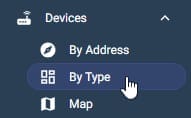
- Click a device to jump to the Device Details page
Alert Details
- Log into Fleet Commander
- Navigate to Alerts List or Alerts Map

- Filter to the alerts you wish to review

- Review the list of alerts

- Click an alert to view it’s details, including a snapshot of the Insights graph for the time of the alert
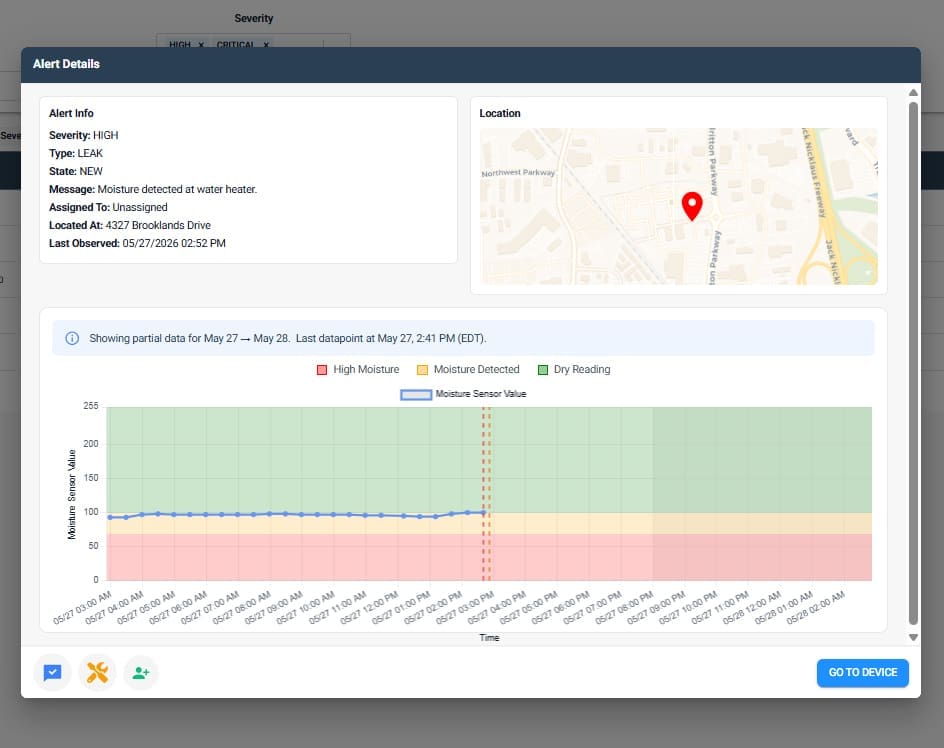
- Click Go To Device to jump to the Device Details page for full insights
Water Heaters
Normal Usage Insights
The Water Heater Usage graph is comprised of three elements:

- Top Temp: Top tank temperature
- Bottom Temp: Bottom tank temperature
- Power: Power draws (energy usage)
In-Use Units
Normal water heater usage is indicated by:
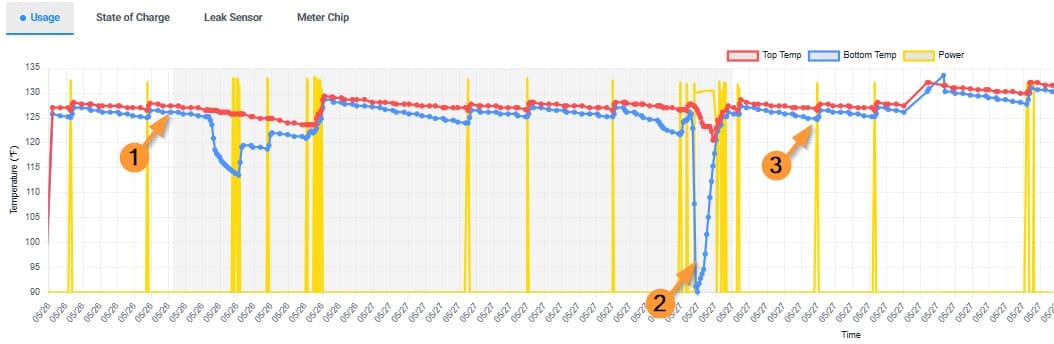
- Close top and bottom temperatures: outside of water draws (2), the top and bottom temperatures should closely mirror one another and fluctuate similarly with periodic reheating (3)
- Note: If the top and bottom thermostat are not set to the same temperature, it is normal to see the bottom temperature running lower
- If the thermostats are set to similar temperatures, but the bottom temp is significantly lower, it can be indicative of a failing element or failing thermostat.
- If temperatures are spiking above expected values, it may be indicative of a failing thermostat or wiring issues.
- Clear water draws: When hot water is used, the top and bottom temperatures will decrease as cold water enters the tank to replace the water used.
- Note: It is normal for the bottom temperature to drop more drastically than the tip as cold water enters the tank
- If the temperatures rise back more slowly after a draw, it can be indicative of a failing element.
- Periodic normal reheating: when not drawing power, the heating elements are not firing and the temperatures will slowly decrease. When power draws, the heating elements fire and quickly reheat the water in the tank.
Vacant Units
A device that’s running but not in use is indicated by:
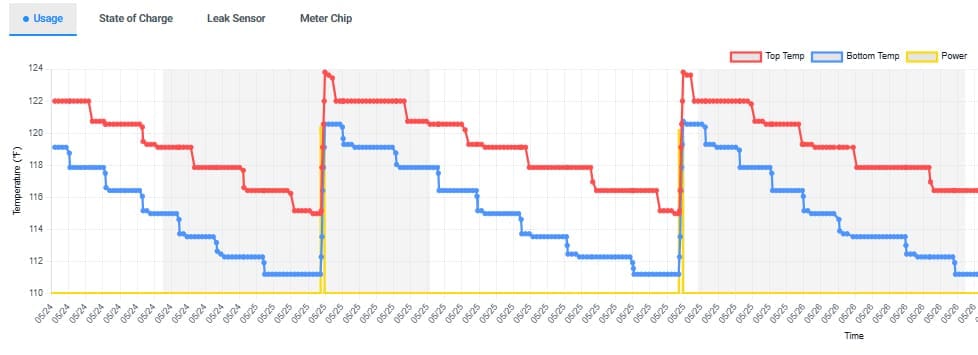
- Periodic normal reheating
- Periodic power draws
- No water draws
Troubleshooting Alerts
High Temp
These alerts identify potential high-resistance electrical connections within the element and thermostat access points.
Benefits: Prevent combustion events, electrical component damage, internal or external fires, and the associated costs and safety risks.
Trigger: Temperatures elevate beyond a specified threshold for a specified duration
- Low: 158°F for 30 seconds or longer
- Moderate: 158°F for 20 minutes or longer
- High: 176°F for 5 minutes or longer
- Severe: 176°F for 20 minutes or longer, and power consistently being drawn
- Critical: 194°F for 30 seconds or longer
Self-Resolves After: 7 days if criteria is no longer met
Potential Issues: Temperatures increasing outside the acceptable range for water heating within the tank
- High: indicated the unit is approaching conditions for its pressure valve to open
- Severe: indicates a temperature and pressure relief valve malfunction
- Critical: indicates a potential overheating electrical connection that could lead to a combustion event
Recommendation: Review table below for recommendations based on data insights for the given alert.
| Pattern | Example | Hypothesis | Recommendation |
|---|---|---|---|
|
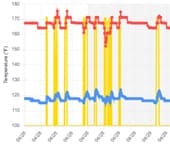 |
Normal behavior, but thermostat may be set extremely high; risks hitting over-temp safety cutoff | No immediate action needed, but consider turning down the thermostat to mitigate risk of hitting over-temp safety cutoff. |
|
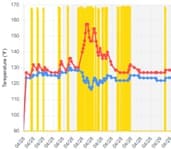 |
Possible failing thermostat or wiring issue |
|
|
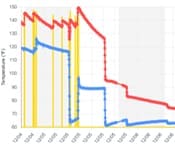 |
Over-temp safety cutoff was triggered. Possible failing thermostat, overheating electrical connection, and/or temperature and pressure relief valve malfunction. | Emergency maintenance to check components and wiring, replace if necessary |
| Rapidly fluctuating and high temperatures | 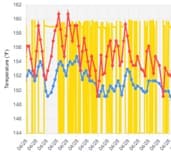 |
Possible wiring issue | Check wiring and correct if necessary |
Low Temp
These alerts identify potential points of failure with the heating element coil or the thermostat managing the heating element.
Benefits: Ensure full hot water capacity, lower heating costs, and maintain resident comfort without disruption.
Trigger: Temperature drops below a specified threshold for a specified duration, and no power is registered.
- Low: Either top or bottom temperature drops to 86°F or less for 30 minutes or more
- Moderate: Either top or bottom temperature drops to 86°F or less for 2 hours or more
- High: Both top and bottom temperatures drop to 86°F or less for 30 minutes or more
Potential Issues: Resident experiences cold water.
- Top heating element or thermostat failure (more critical / less common)
- Top tank temperatures are cold, and power is not being sent to lower element, resulting in cold water for the end user
- Bottom heating element or thermostat failure (less critical / more common)
- Bottom tank temperatures are cooler, and end user is at risk of experiencing cold water
Self-Resolves After: Temps rise to 41°F, or after 1 hour if criteria is no longer met
Recommendation: Review tables below for recommendations based on data insights for the given alert.
Top Temperature is Low
| Pattern | Example | Hypothesis | Recommendation |
|---|---|---|---|
Note: Bottom temp cannot realistically be hotter than top temp, as hot water rises. |
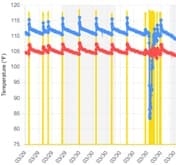 |
Thermostat may be failing; thermistor may have been displaced |
|
Bottom Temperature is Low
| Pattern | Example | Hypothesis | Recommendation |
|---|---|---|---|
|
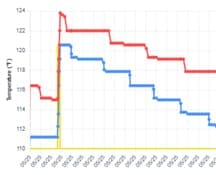 |
Normal Operation; Bottom thermostat is set lower than top thermostat | No action needed; can adjust bottom thermostat to increase hot water available |
|
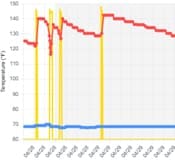 |
Possible failed element | Check continuity across both elements and replace if necessary |
|
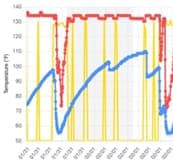 |
Possible failing element | Check continuity across both elements and replace if necessary |
|
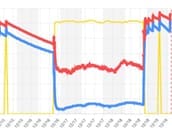 |
Burst hot water pipe
Note: A burst cold water line will not be indicated in Armada water heater insights, but will be captured in NEP usage alerts |
Emergency maintenance to find and repair leak |
|
 |
Thermistor may have been displaced | Dispatch Armada technician to check thermistor placement |
|
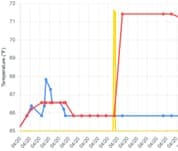 |
Controller issue – Relay failing to close to allow current to pass through | Dispatch Armada technician to repair/replace controller |
High Usage
These alerts help to detect occupancy irregularities and unintended water usage to prevent waste, reduce energy costs, minimize strain on community resources, and avoid costly property damage.
Benefits: Safeguard against tank failures to avoid costly damage to both community assets and residents’ property, while potentially reducing insurance premiums.
Trigger: Unit’s energy consumption exceeds defined thresholds
- Low: Energy usage is greater than 3x the property’s trailing 30-day average
- Moderate: Unit consuming energy 95% of the time over the last 2 hours
- High: Unit consuming energy 95% of the time over the last 4 hours
Self-Resolves After: 15 hours if criteria is no longer met
Potential Issues: High water and energy consumption, possible resident or water line emergency.
- Low: may indicate unit occupancy inconsistent with the leasing agreement
- Moderate/High: may indicate accidental/inadvertent usage or emergency
Recommendation: Review table below for recommendations based on data insights for the given alert.
| Pattern | Example | Hypothesis | Recommendation |
|---|---|---|---|
|
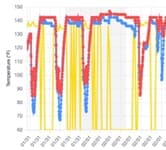 |
Normal, but high-usage. Unit may have multiple people using hot water or otherwise using it frequently. | No immediate action needed. Monitor for reoccurrence to determine if action is needed. |
|
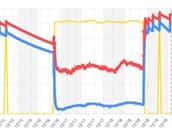 |
Burst hot water pipe
Note: A burst cold water line will not be indicated in Armada water heater insights, but will be captured in NEP usage alerts |
Emergency maintenance to find and repair leak |
|
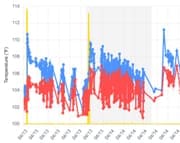 |
Possible wiring issue or extra current at sensor | Check wiring and correct if necessary |
Low Usage
These alerts identify units that may have been vacated without notice and potential resident safety issues so that proactive measures can be taken.
Benefits: Allow for proactive measures to be taken in the event of a potential vacated unit or emergency.
Trigger: Difference between average and minimum bottom temperature is less than 45.5°F over the last 14 days. (Note: If the property uses PM Software integrations and the unit is in Vacant status, these alerts will be suppressed.)
Potential Issues: May indicate unit occupancy inconsistent with the leasing agreement
Self-Resolves After: The difference between average and minimum bottom temperature is 45.5°F or more over a 14-day window.
Recommendation: These alerts are informational and offer opportunities to take appropriate procedural actions.
| Pattern | Example | Hypothesis | Recommendation |
|---|---|---|---|
|
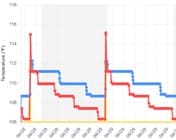 |
Indicates a vacant unit or residents being away | No action needed; monitor if unit isn’t expected to be vacant |
Leak
These alerts identify potential high-resistance electrical connections within the element and thermostat access points.
Benefits: Safeguard against tank failures to avoid costly damage to both community assets and residents’ property, while potentially reducing insurance premiums.
Trigger: Sensor moisture value increases as the sensor detects liquid in the air or on the surface.
- Low: Sensor detects liquid in very small drops, either in the air, in a substance, or on a surface
- Moderate: Sensor is covered or saturated with water or another liquid
- High: Sensor is covered or saturated with water or another liquid for an extended period of time
Self-Resolves After: Sensor moisture value drops below concerning values.
Potential Issues: Property damage, mold/mildew, high water usage
Recommendation: Review table below for recommendations based on data insights for the given alert.
| Pattern | Example | Hypothesis | Recommendation |
|---|---|---|---|
| Moisture value is consistently in High Moisture (red) range | 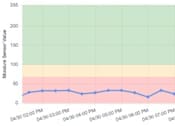 |
Sensor is covered or saturated with water or another liquid | Emergency maintenance to locate and resolve leak |
| Moisture value is consistently in Moisture Detected (yellow) range | 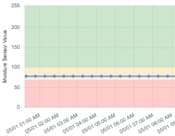 |
Presence of liquid such as water in very small drops, either in the air, in a substance, or on a surface |
|
| Moisture value intermittently drops into Moisture Detected or Wet, then recovers | 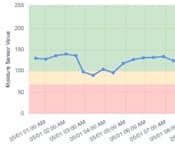 |
Intermittent leak or temporary spill that was resolved |
|
| Moisture values rapidly fluctuating | 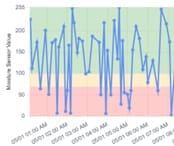 |
Possible wiring issue or extra current at sensor, or faulty sensor |
|
